

Keeping an eye on what you eat is one of the simplest ways to understand your habits — and a free calorie counter app makes it almost effortless. Instead of guessing portions or scribbling in a notebook, you log meals in seconds, and the app does the math for you.
But with so many free options available, which one is actually worth your time? This guide walks through what makes a great free calorie counter app, the top options to consider, and practical tips for getting accurate, useful results.

Why Track Calories With an App?
Calorie tracking is not about obsession — it is about awareness. Most people are surprised to learn how many calories are in their favorite snacks or restaurant meals. An app turns vague guesses into real numbers, which helps you spot patterns: the late-night snacking, the oversized portions, the sugary drinks that add up quietly.
Apps also make consistency easier than pen and paper. Barcode scanning, meal history, and reminders lower the effort so much that tracking becomes a 30-second habit rather than a chore. And seeing your progress in charts can be genuinely motivating.
A quick note: calorie needs are personal and depend on age, activity, and health conditions. If you have a medical condition, an eating disorder history, or specific health goals, consider talking to a doctor or registered dietitian before starting any tracking routine.
What Makes a Great Free Calorie Counter App?
Before comparing names, know what to look for. The best free calorie counter app for you should have most of these:
- Large, accurate food database: Millions of foods, including restaurant items and branded products, so you rarely have to enter things manually.
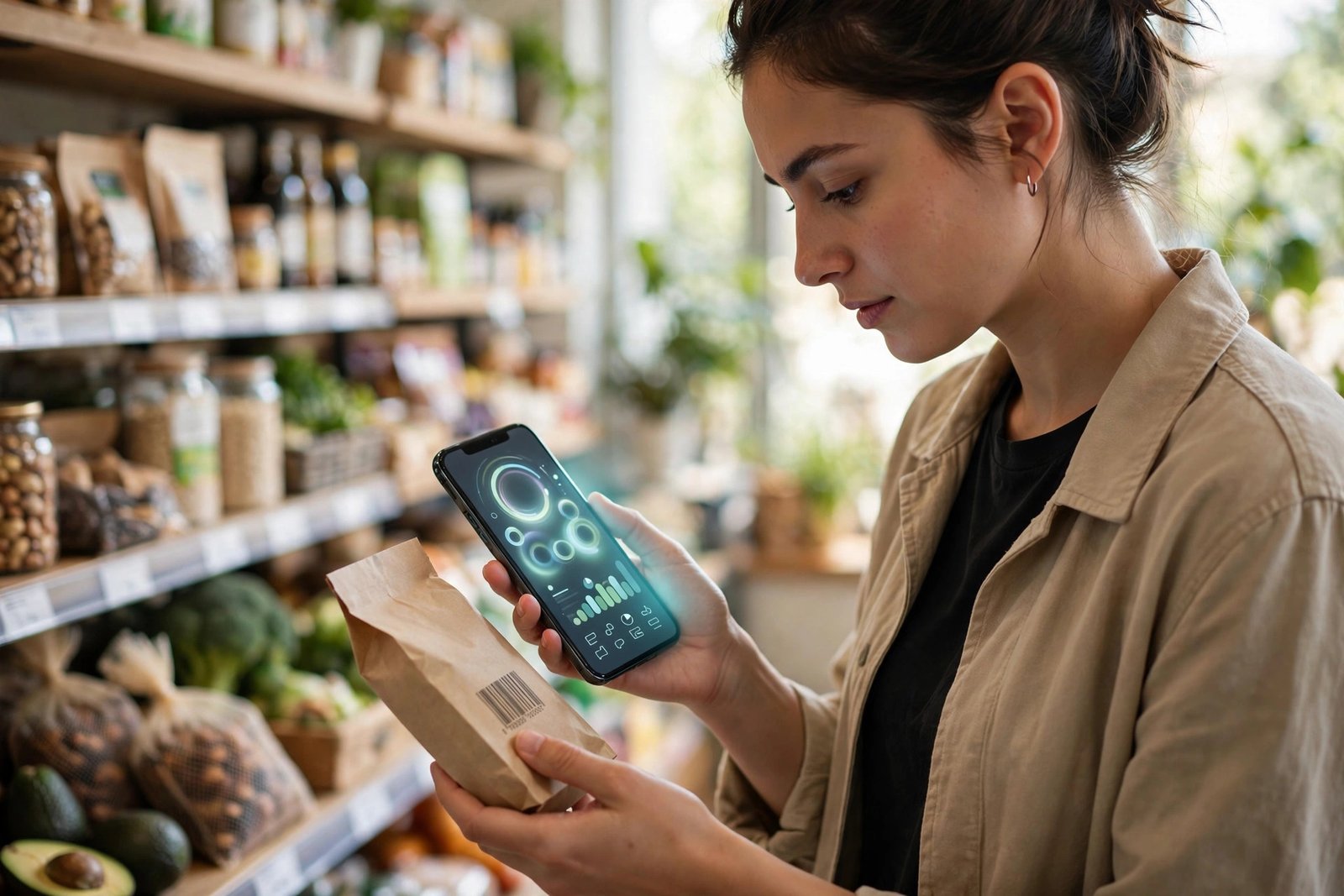
- Barcode scanner: Point your camera at a package and the nutrition facts appear instantly. This single feature saves the most time.
- Macro and nutrient tracking: Beyond calories, look for protein, carbs, fat, fiber, and ideally vitamins — useful if you care about nutrition quality, not just quantity.
- Easy, fast logging: If entering a meal takes more than a minute, you will stop doing it. Favorites, recent foods, and recipe saving matter.
- Sync across devices: Like other cloud based productivity apps, the best trackers sync between your phone, tablet, and computer automatically.
- Honest free tier: Some “free” apps lock basic features behind paywalls. Check reviews to see what is genuinely usable without paying.
Top Free Options to Consider
These are among the most widely used free calorie tracking apps. Features and pricing change over time, so treat this as a starting shortlist and check each app’s current offering before committing.
MyFitnessPal
One of the best-known names in food tracking, with an enormous food database and barcode scanner. The free version covers the essentials — calorie and macro tracking — while advanced reports sit behind a subscription. A solid default choice if you want the biggest database.
Lose It!
Known for a clean, friendly interface and photo-based logging (snap a picture of your meal). The free tier handles daily calorie budgets and basic tracking well, making it popular with beginners who want simplicity.
Cronometer
A favorite among nutrition enthusiasts because it tracks micronutrients — vitamins and minerals — in unusual detail, even on the free plan. The interface is more data-dense, so it suits people who enjoy numbers.
Yazio
Combines calorie counting with meal plans and fasting trackers. The free version includes the core food diary; guided programs require payment. Worth a look if you like structured plans alongside tracking.
FatSecret
A long-running free option with a strong community and completely free food diary, including a barcode scanner. It is less polished than newer apps but remains genuinely free for core tracking.
Tips for Getting Accurate Results
An app is only as good as the data you feed it. These habits make your numbers trustworthy:
- Weigh or measure at first: Spend a week using a kitchen scale. You will calibrate your eye for portions, and your logs will be far more accurate afterward.
- Log immediately: Enter meals right after eating. End-of-day recall is notoriously unreliable.
- Include everything: Cooking oils, sauces, and drinks count. These “invisible” calories are where most underestimates hide.
- Use verified entries: When an app offers multiple entries for the same food, prefer verified or green-check entries over user-submitted ones.
- Don’t chase perfection: Being within 10–15% is plenty for spotting trends. Precision matters less than consistency.

Free vs. Paid: Is the Free Version Enough?
For most people, yes. Free tiers of the apps above cover the core job: logging food, counting calories and macros, and viewing basic trends. Paid versions typically add detailed reports, meal plans, ad removal, and deeper nutrient analysis.
A sensible approach: use the free version for a month. If you hit a wall — say, you really want micronutrient reports or custom macro goals — then consider upgrading. And remember, plenty of excellent tools cost nothing at all; our roundup of the best free video editing software shows the same is true beyond health apps.
Frequently Asked Questions
Are free calorie counter apps accurate?
Reasonably, yes — especially for packaged foods with barcode data. Restaurant and homemade meals are estimates, so treat the numbers as a helpful guide rather than laboratory precision.
Will a calorie counter app help me lose weight?
It can help by building awareness of eating patterns, and studies suggest people who track consistently tend to manage weight better. But sustainable results also depend on sleep, activity, and overall diet quality — the app is a tool, not a magic solution.
Do these apps sell my health data?
Policies vary by app, so read the privacy policy before signing up. Prefer apps that let you delete your data, avoid unnecessary permissions, and be cautious about linking sensitive health accounts.
How many calories should I eat per day?
It depends on your age, sex, height, weight, and activity level. Many apps estimate a target after you enter your details, but these are rough guides. For personalized advice, consult a healthcare professional.
Can I use a calorie counter app without creating an account?
Some apps allow limited guest use, but most require an account to save your history and sync devices. If privacy matters to you, check what data the account requires.
Conclusion
The best free calorie counter app is the one you will actually use every day. Start with one of the well-established free options, focus on consistent logging rather than perfect numbers, and give it a few weeks before judging. Combined with honest portion awareness and a little patience, a simple free app can teach you more about your eating habits than any expensive program.


Leave a Reply