
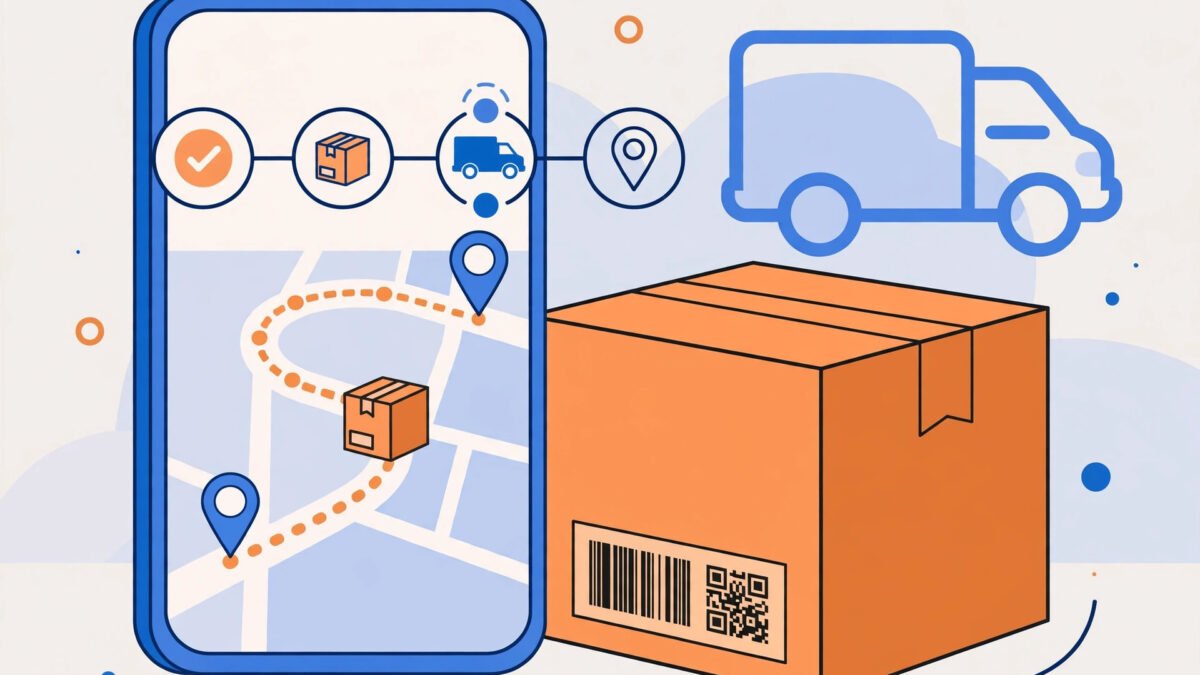
You placed an order on Magazine Luiza, the payment went through, and now the waiting begins. Where is your package? When will it arrive? Has it even left the warehouse yet? These are the questions every online shopper asks, and the good news is that magazine luiza order tracking is straightforward once you know where to look. Magalu lets you follow your purchase through your account on the website, through the official app, and through the email and text messages it sends you at each stage of the journey.
This guide walks you through every official way to track a Magazine Luiza order, explains what each delivery status actually means, and shows you what to do when the tracking has not updated, the delivery is late, or the package seems to be missing. It covers orders sold directly by Magazine Luiza as well as orders from marketplace sellers, because the two are tracked in the same place but can behave differently. Keep your order number handy, and by the end of this guide you will know exactly where your package is and what to do next.

Where to Find Your Order Status
Every Magazine Luiza order has a status page, and the quickest route to it is your Magalu account. When you buy something on magazineluiza.com.br or in the Magalu app, the order is saved under your account, together with its payment status, the delivery estimate, and the tracking information once the package ships. You do not need a separate tracking number to find the order itself: logging in and opening your order history is enough.
The order confirmation email is the second place to look. Shortly after you complete a purchase, Magalu sends a confirmation message to the email address on your account. That email contains your order number, a summary of the items, the delivery address, and the estimated delivery date. Keep it. The order number is the key detail you will need if you ever have to contact customer support, and the email is the easiest place to find it later.
Text messages are the third channel. If you provided a mobile number, Magalu can send SMS updates when your order is confirmed, when it ships, and when it is out for delivery. These messages are useful because they reach you without you having to open the app or the website. If you are not receiving them, check that the phone number on your account is correct and that your phone is not blocking messages from the retailer.
A practical habit is to check the status once a day rather than every hour. Tracking information updates when the package reaches a new stage, not continuously, so checking more often will not make the delivery arrive sooner. Once a day is enough to catch any change, and it saves you the frustration of watching a status that has not moved.
How to Track Your Order on the Magazine Luiza Website
Tracking on the website takes less than a minute. Open magazineluiza.com.br and log in to your account with the email address and password you used for the purchase. If you checked out as a guest, you may need to create an account with the same email address, or use the order details from your confirmation email. Once you are logged in, look for the account menu and open the section for your orders or purchases.
Your order history lists your recent purchases, usually with the most recent order first. Click on the order you want to follow. The order page shows the items you bought, the payment status, the delivery address, and the estimated delivery date. Once the package has been dispatched, the page also shows the tracking details: the carrier handling the delivery and the current status of the shipment. Some orders show a tracking code that you can copy and use on the carrier’s own website if you want more detail.
If the order page shows that your order is still being prepared, that is normal for the first stage after payment. The warehouse needs time to pick, pack, and hand the package to the carrier, and this stage can take a day or two, longer during busy periods such as Black Friday. The status will change to shipped once the carrier has collected the package, and that is when the tracking becomes detailed.
One common problem is logging in with the wrong email address. If your order history looks empty, you may have used a different email address at checkout, or you may be logged in to an old account. Check the confirmation email to see which address received it, and log in with that one. If you bought through the app, the same account works on the website, because the account is shared across both channels.
How to Track Your Order in the Magalu App
The Magalu app is the most convenient way to track an order, because it puts the status in your pocket and can notify you when something changes. Open the app and log in to your account. Then go to the account or profile area and open your orders. The list looks the same as on the website, with your most recent purchases first. Tap the order you want to follow to see its full details, including the current delivery status and the estimated arrival date.
The app’s advantage is notifications. When you allow the app to send you alerts, it can tell you when your order ships, when it is out for delivery, and when it has been delivered. This is especially useful if you are waiting for a delivery that needs someone at home to receive it. Turn notifications on for the app in your phone’s settings as well as inside the app itself, because the alert only works if both are enabled.
The app also makes it easy to check several orders at once. If you bought items from different sellers, or placed more than one order in the same week, each one appears separately in your order history with its own status and delivery estimate. Tap each one to follow it individually. Do not assume that two orders placed on the same day will arrive together: they may come from different warehouses and travel on different schedules.
If the app is not showing your order, try the same checks as on the website. Make sure you are logged in to the correct account, check that the app is updated to the latest version, and try closing and reopening it. If the problem continues, the website is a reliable fallback, because it shows the same order information. For help with signing in, see our guide to Magalu login.
Tracking by Email and SMS
You do not have to log in at all to follow the main stages of your order, because Magalu sends updates to your email and, if you provided a number, to your phone. The first message is the order confirmation, which arrives shortly after payment and confirms that your order was received. The second message usually arrives when the payment is approved and the order moves into preparation. The third, and the one most shoppers wait for, is the shipping notification, which tells you that the package is on its way.
Later messages mark the final stages: the package is out for delivery, and then it has been delivered. Read these messages carefully, because the delivery message sometimes includes practical details, such as a delivery window or instructions for the courier. If a delivery attempt fails because nobody was at home, the message usually explains what happens next, for example whether the courier will try again or whether the package will wait at a collection point.
If you are not receiving these messages, check your spam or junk folder first. Order emails sometimes land there, especially if your email provider is strict. Add Magalu’s sender address to your contacts so that future messages reach your inbox. For SMS, check that the phone number on your account is correct and that you have not blocked messages from the retailer. Also check that your mailbox is not full and that your phone has signal.
Be careful with tracking messages that do not come from Magalu. Scammers send fake delivery texts with links that lead to fraudulent pages, and they are especially common during busy shopping periods. A genuine Magalu message will never ask you to pay an extra delivery fee through a random link, and it will never ask for your password. If a message looks suspicious, do not tap the link. Open the app or the website yourself and check the order status there.
Understanding the Delivery Statuses
The status labels on your order page describe where your package is in its journey, but they can be confusing if you have never seen them before. The first status is usually order confirmed or payment approved. This means Magalu has received your order and your payment has gone through. The package has not left the warehouse yet, and there is nothing to track at this point, because the carrier does not have the parcel.
The next stage is preparing or in preparation. The warehouse is picking your items from the shelves, packing them, and preparing the shipping label. This stage is invisible from the outside, so the status may not change for a day or two. That is normal. During busy periods, preparation takes longer, because the warehouse is handling many more orders than usual.
Once the carrier collects the package, the status changes to shipped or in transit. This is when tracking becomes useful. The order page may show the carrier’s name and a tracking code, and the status will update as the package moves through sorting centers toward your city. The updates are not live: they appear when the package is scanned at each stage, so there can be long gaps between updates while the package is travelling.
The final stages are out for delivery and delivered. Out for delivery means the package is with the courier for the last leg of the journey, and it should arrive that day. Delivered means the package has been received. If the status says delivered but you do not have the package, check with other people at your address, check the usual safe places where couriers leave parcels, and then contact Magalu support with your order number. For more on delivery in general, see our guide to Magazine Luiza free shipping.
Tracking an Order From a Marketplace Seller
Magazine Luiza’s marketplace means that some products are sold by partner sellers rather than by Magalu itself. These orders appear in the same order history and are tracked in the same way, but a few details can differ. The seller is responsible for preparing and dispatching the item, so preparation can take longer than for a product sold directly by Magalu, and the delivery time depends on where the seller is located.
The product page shows who the seller is before you buy, and the order page shows the same information afterwards. If your tracking has not updated, remember that the seller’s preparation time is part of the total delivery estimate. A marketplace order that takes two days to ship is not necessarily delayed: it may simply be following the estimate shown when you bought it.
If a marketplace order is genuinely late, the process for raising it is the same as for any other order: check the status in your account, confirm the estimated delivery date, and contact Magalu support through the official channels with your order number ready. Magalu manages the marketplace, so its support team can look into a seller’s order on your behalf. Keep your order confirmation and any messages from the seller, because they help support understand the situation quickly.
When you receive a marketplace order, check the product before the return window closes. Make sure it is the right model, the right color, and in good condition. If anything is wrong, report it promptly through your account. The sooner you raise a problem, the easier it is to resolve, and the return rules are the same consumer protections that apply to orders sold directly by the retailer.
What to Do If Tracking Has Not Updated
A tracking status that has not changed for a day or two is usually not a problem. Packages are scanned at sorting centers, not continuously, so a parcel travelling between cities may show no update for 24 to 48 hours while it is on the road. This is the most common reason for a seemingly frozen status, and it almost always resolves itself when the package reaches the next scanning point.
Before you worry, check three things. First, confirm the estimated delivery date on your order page. If the date has not passed, your order is still on schedule, even if the tracking has not moved. Second, check whether the order is still in the preparation stage: if the package has not shipped yet, there is no tracking to update, and the delay is in the warehouse rather than on the road. Third, check your email and SMS for a shipping notification, because the order page and the messages sometimes update at slightly different times.
If the estimated delivery date has passed and the tracking still has not moved, it is time to contact support. Gather your order number, the product name, and the delivery address, and reach out through the official channels listed on Magalu’s website or in the app. Explain clearly what the status shows and when the delivery was expected. Support can check with the carrier and tell you whether the package is delayed, held at a sorting center, or needs another action from you.
While you wait for a reply, avoid paying anyone who contacts you claiming to be the courier and asking for an extra fee to release your package. This is a common scam. Legitimate delivery fees are paid at checkout, and the carrier will not ask you to pay again through a link in a text message. If you receive such a message, ignore the link and check your order status in the app instead.
Delivery Options, Store Pickup, and Receiving Your Order
Magalu offers different delivery options depending on the product, the seller, and your address. Standard home delivery is the most common, and the estimated date is shown before you buy. Some products in some areas are eligible for faster delivery, including same-day delivery on selected items when you order through the app. The options available for your order are shown at checkout, so you can choose the one that fits your schedule.
Store pickup is another option for many products. If it is available for your order, you can collect the item from a Magalu store instead of waiting for home delivery. This is often faster, and it is useful if you are not at home during the day. The app or the website will tell you when the order is ready to collect, and you will usually need your order number and an identity document to pick it up. If you are unsure where your nearest store is, see our guide to Magazine Luiza near me.
When your order arrives, check the package before the courier leaves if you can. Look for visible damage to the box, and make sure the parcel is addressed to you. Once you open it, check that the product matches what you ordered: the right model, the right color, the right size, and all the accessories that should be included. If something is wrong, keep the packaging and contact Magalu support promptly with your order number and, if possible, photos of the problem.
For large appliances, delivery may include bringing the item inside, and installation may be a separate service. The product page usually explains what is included, and it is worth reading before delivery day so that you know what to expect. Make sure the path to the room is clear and that someone is at home to receive the item and sign for it if a signature is required.
If Your Order Is Late or Missing
A late order is frustrating, but most late orders do arrive, and the steps to resolve one are simple. First, check the estimated delivery date again, and remember that estimates can shift during busy periods. Second, check the tracking status and your messages for any update you may have missed, such as a failed delivery attempt or a request to collect the package from a point. Third, check with neighbours or building reception, because couriers sometimes leave a package with someone nearby.
If none of that explains the delay, contact Magalu support through the official channels on the website or in the app. Have your order number ready, and describe the situation in one clear message: what you ordered, when you ordered it, what the tracking shows, and what the estimated date was. Support can open an investigation with the carrier, and they will tell you what happens next and how long it may take.
If the investigation confirms that the package is lost, Magalu will normally offer a replacement or a refund, following the retailer’s policy and Brazilian consumer law. Keep records of everything: the order confirmation, the tracking history, and your messages with support. These records make the process faster, and they protect you if the case takes longer than expected.
Finally, remember that you can cancel an order that has not yet shipped, and that you have the right to return a product bought online within seven days of receiving it if you change your mind, as long as it is in its original condition. The cancellation and return options are in your account under the order, and support can help if the option is not available. For a general introduction to the retailer, see our guide to Magazine Luiza login and account help.
Frequently Asked Questions
How can I track my Magazine Luiza order? Log in to your account on magazineluiza.com.br or in the Magalu app, open your order history, and tap the order you want to follow. The order page shows the payment status, the delivery estimate, and the tracking details once the package ships. You will also receive updates by email and SMS.
Where is my Magazine Luiza tracking number? Your tracking details appear on the order page in your account once the package has been dispatched. Some orders show a tracking code that you can also use on the carrier’s website. Your order number is in the confirmation email Magalu sent after your purchase.
Why has my order tracking not updated? Tracking updates only when the package is scanned at a sorting center, so it is normal for the status to stay unchanged for 24 to 48 hours while the parcel is travelling. If the estimated delivery date has passed and the status still has not moved, contact Magalu support with your order number.
How long does Magazine Luiza delivery take? Delivery times depend on your address, the product, and the seller, and the estimate is shown on the product page before you buy. Deliveries usually take longer during busy periods such as Black Friday, so treat the estimate as a guide and order early if you need the item by a specific date.
Can I track my order without an account? You can follow the main stages through the order confirmation and shipping emails sent to the address you used at checkout. For full tracking details, log in to the account linked to that email address on the website or in the app.
What does “out for delivery” mean at Magazine Luiza? Out for delivery means your package is with the courier for the final part of the journey and should arrive that day. Make sure someone is available to receive it, or check whether the courier will leave it in a safe place.
What should I do if my order says delivered but I did not receive it? Check with other people at your address, check common safe places where couriers leave parcels, and check with neighbours or building reception. If you still cannot find it, contact Magalu support with your order number so they can investigate with the carrier.
Conclusion
Magazine Luiza order tracking is simple when you know the three places to look: your account, your email, and your text messages. Log in, open the order, and the status tells you whether the package is being prepared, is on its way, is out for delivery, or has already arrived. When the tracking pauses, remember that packages are scanned at stages, not continuously, and give it a day or two before you worry. And when something is genuinely wrong, the order number in your confirmation email is the key that lets support help you quickly. Save this guide, keep your order number handy, and you will never have to wonder where your Magalu order is again.


Leave a Reply